
How to Deposit and Withdraw on M999
Managing your funds on M999 Game is simple and convenient. Whether you’re adding money to your account or requesting a withdrawal, the process is designed to be quick and easy. This guide explains how to deposit and withdraw on M999 Game using a few simple steps.
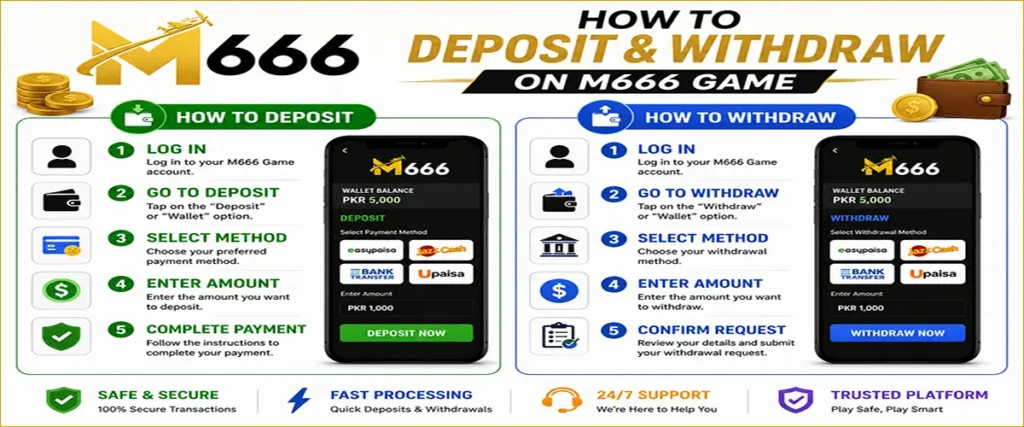
How to Deposit on M999
Follow these steps to add funds to your Game account:
Step 1: Logn to Your Account
Open the M999 Game app and sign in using your registered account.
Step 2: Open the Deposit Section
From the home screen, tap the Deposit or Wallet option.
Step 3: Choose a Payment Method
Select your preferred payment method from the available options.
Step 4: Enter the Deposit Amount
Type the amount you want to deposit and review the details carefully.
Step 5: Complete the Payment
Follow the on-screen instructions to confirm your payment. Once the transaction is processed, your balance should update according to the platform’s processing time.
How to Withdraw
You can withdraw available funds by following these steps:
Step 1: Login
Access your M999 Game account.
Step 2: Go to the Withdrawal Section
Tap Withdraw from the wallet or account menu.
Step 3: Select Your Withdrawal Method
Choose the payment method or account where you want to receive your funds.
Step 4: Enter the Withdrawal Amount
Input the amount you wish to withdraw.
Step 5: Confirm the Request
Review your information and submit your withdrawal request. Processing times may vary depending on the selected payment method.
Deposit and Withdrawal Tips
- Always verify your payment details before confirming a transaction.
- Ensure your account information is accurate to avoid delays.
- Use a secure internet connection when making payments.
- Keep your M999 Game App updated to the latest version.
- Check the platform’s minimum and maximum transaction limits before depositing or withdrawing.
Common Issues
Deposit Not Showing
- Confirm that your payment was completed successfully.
- Wait for the processing period.
- Refresh the app or sign in again.
Withdrawal Delayed
- Verify that your account details are correct.
- Some payment methods may require additional processing time.
- Contact customer support if your request remains pending beyond the expected timeframe.
Frequently Asked Questions
Is there a minimum deposit amount?
The minimum deposit amount depends on the payment methods and platform rules. Check the Deposit page inside the app for the latest information.
How long do withdrawals take?
Withdrawal times vary depending on the selected payment method and account verification status.
Can I cancel a withdrawal request?
If your request has not yet been processed, you may be able to cancel it. Check the withdrawal status within the app or contact customer support.
Final Words
Depositing and withdrawing on M999 Game is a straightforward process. By following the steps above and keeping your account information up to date, you can complete transactions smoothly. Always review your payment details carefully and use the latest version of the app for the best experience.